Get a Raspberry Pi instead.
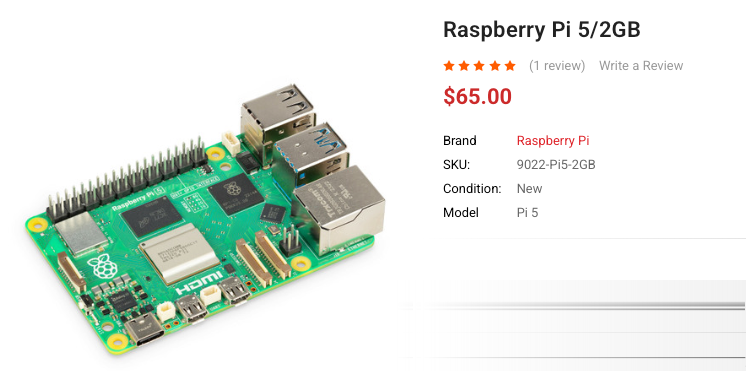
Let’s assume you’re reading this because have caught the AI bug. Let me tell you the most important thing - you’ve got this! A Raspberry Pi isn’t that intimidating. It’s just a computer.
If you’re interested enough, you CAN figure it out. Paste this url into claude/chatgpt and ask it questions until you’ve got a working build.
So you want to chat with your agents via voice notes
Running Hermes on a Raspberry Pi
I run a Raspberry Pi, which is hardwired to my local network. It has access to my Cloudflare and GitHub accounts. I communicate with it via Discord and Telegram. I typically use Telegram + voice notes while I’m on the go and I use Discord for longer running threads. The harness powering everything is Hermes Agent – which has been very stable in my experience.
It is always on. It’s a one-time expense. You aren’t renting a VPS. And because the underlying OS is Linux, coding agents will manage it just fine.
Some of the things I use this for:
- Home Assistant Control for all my home automations
- Homelab Control (I run another Pi with multiple docker containers for self-hosted services like n8n, karakeep and more. Hermes is my new sysadmin)
- Deep research via Exa’s MCP along with publish to Cloudflare Pages for review
- Automated backups to Backblaze (the free tier is enough)
- Coding workflow: Voice prompt → Agent writes code → Pushed to Cloudflare for preview → I review on my phone
- Cron jobs
- And a bunch of other miscellaneous tasks
The Pi is an excellent choice because
The Pi is always on. I can access it from anywhere, via Telegram or Discord. Want it to be a VPN? Add on Tailscale.
I can message it from my phone and leave it running. It can keep a repo checked out, run cron jobs, hold credentials, and keep tmux sessions alive. For the most part, no need for a laptop.
If you get a 4gb or an 8gb variant, you’ll have enough headroom to run other self-hosted software alongside - all of which Hermes wil manage for you.
Briefly, here is the recommended setup
Hardware:
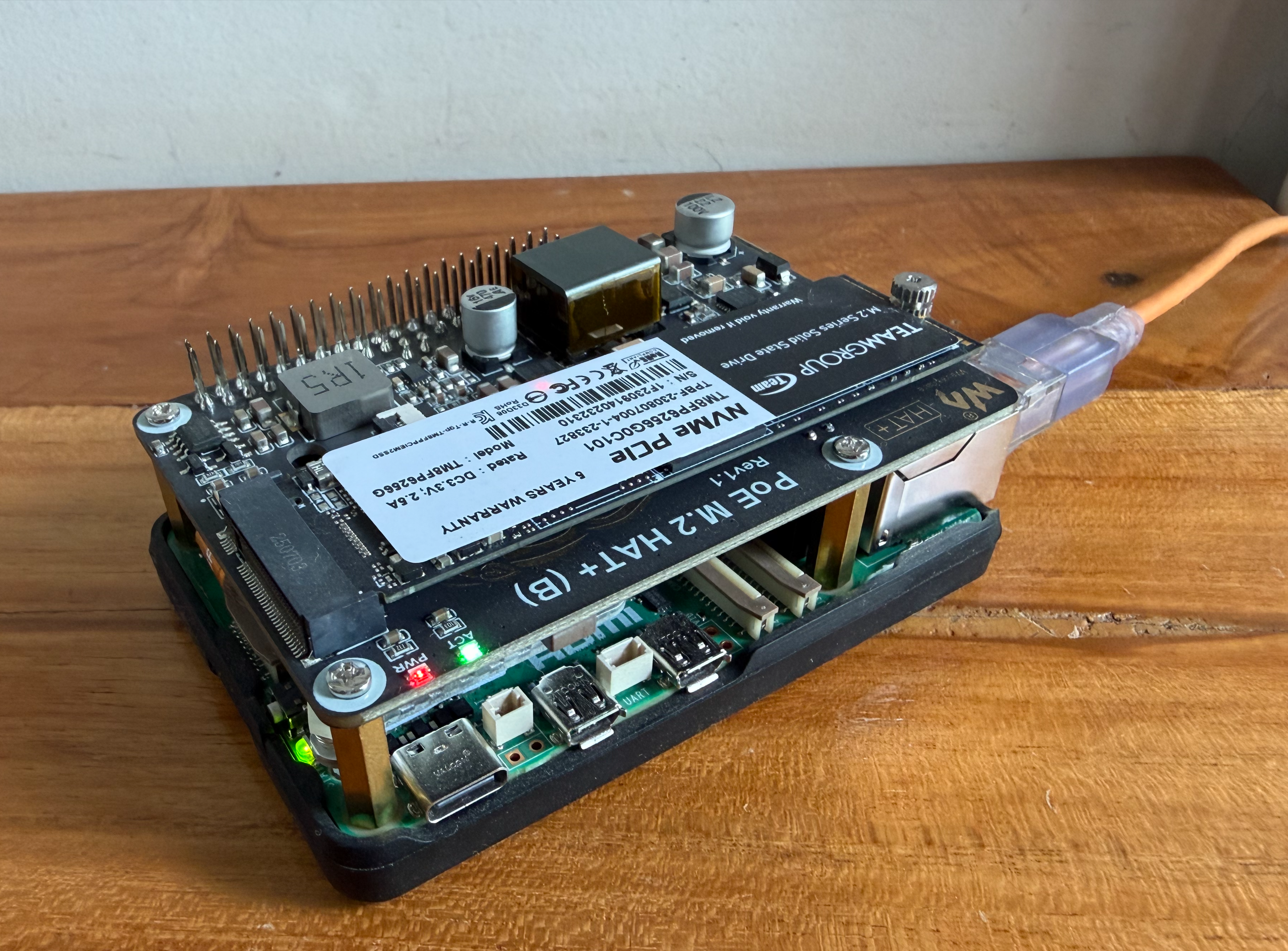
- Raspberry Pi 5, with a Waveshare PoE + NvME HAT.
- NVMe drive (but you can use a sata ssd via usb as well)
Software:
- Log into Github and Cloudflare
- Log into Claude Code (optional)
- Install Hermes Agent and give it access to a model like ChatGPT/Kimi/simiar (I use gpt 5.6)
- Connect Hermes to Discord and/or Telegram
- Access to a bunch of API’s (Gemini, Exa, TinyFish, Cloudflare)
- Tmux (if the agent will be doing longer running coding task)
Hermes Agent controls everything. It can talk to my GitHub, and can trigger Cloudflare deploys. I talk to it mostly through Discord. If I send a voice note with a blog idea or a coding task, Hermes can turn that into files, commands, commits, previews or PRs.
Commands to replicate my basic setup
These are the one-time steps that you need to run. I’ll assume that you’ve prepared the Pi1.
Open your terminal app to connect to your Pi via SSH.
First, install Git, the GitHub CLI and Node.js on the Pi:
sudo apt update
sudo apt install -y git gh nodejs npm
Install Hermes Agent, then follow its setup wizard to choose a model provider and sign in. (If you already have an OpenAI subscription, you can use the same over here. )
curl -fsSL https://hermes-agent.nousresearch.com/install.sh | bash
hermes setup --portal
Log into GitHub. Choose GitHub.com, HTTPS and browser authentication when prompted. On a headless Pi, open the URL it gives you on your phone or laptop and enter the one-time code.
gh auth login
Log into Cloudflare the same way:
npx wrangler login
Once your accounts are connected, Hermes can handle things like cloning repositories, coding, deploying previews and opening pull requests.
If you also want Hermes to use Claude Code, install it and complete its login flow. I have a separate guide for giving Hermes access to Claude Code on a Raspberry Pi.
npm install -g @anthropic-ai/claude-code
claude
Finally, start Hermes and ask it to connect your preferred chat app. These are prompts to send to Hermes, not shell commands:
hermes
Help me connect you to Telegram. Walk me through only the steps that require me to create a bot or provide a token.
or:
Help me connect you to Discord. Walk me through only the steps that require me to create an app, invite the bot or provide a token.
Then have Hermes verify the integrations without changing anything:
Check that you can access GitHub, Cloudflare and Claude Code. Do not create, modify or deploy anything. If an account is not connected, tell me exactly which login step I need to complete.
When is a Mac mini better?
When you need a lot more horsepower.
A Pi is enough when the agent is mostly orchestrating cloud services. A Mac mini starts to make sense when the work itself needs to happen locally and needs more CPU and memory on tap.
| Task | Better choice | Why |
|---|---|---|
| Chat-based agent that calls APIs, manages GitHub and deploys to Cloudflare | Raspberry Pi | The Pi is more than capable and cheap to leave on. Mac mini is overpowered for this. |
| Home Assistant, cron jobs and lightweight Docker services | Raspberry Pi | The Pi is an excellent fit, with GPIO as a bonus; a Mac mini costs more and has no GPIO. |
| Large local builds, many parallel coding agents or heavy test suites | Mac mini | The Pi’s ARM compatibility and limited RAM can become bottlenecks; the Mac mini is much faster and has substantially more headroom. |
| Building or testing iPhone and Mac apps. | Mac mini | The Pi cannot run Xcode or macOS; the Mac mini supports the required Apple platform tooling. |
–
Should I add anything?
-
Use Raspberry Pi Imager to install Raspberry Pi OS. In the Imager’s OS customisation screen, set a hostname and user, enable SSH and add your Wi-Fi details or (better), connect the Pi to your router with Ethernet. For an always-on agent, it’s better to run the OS and store its files on an NVMe drive connected through a HAT, or on a USB SATA SSD. Avoid a microSD card. ↩︎